How I Structure Next.js Projects for Scale
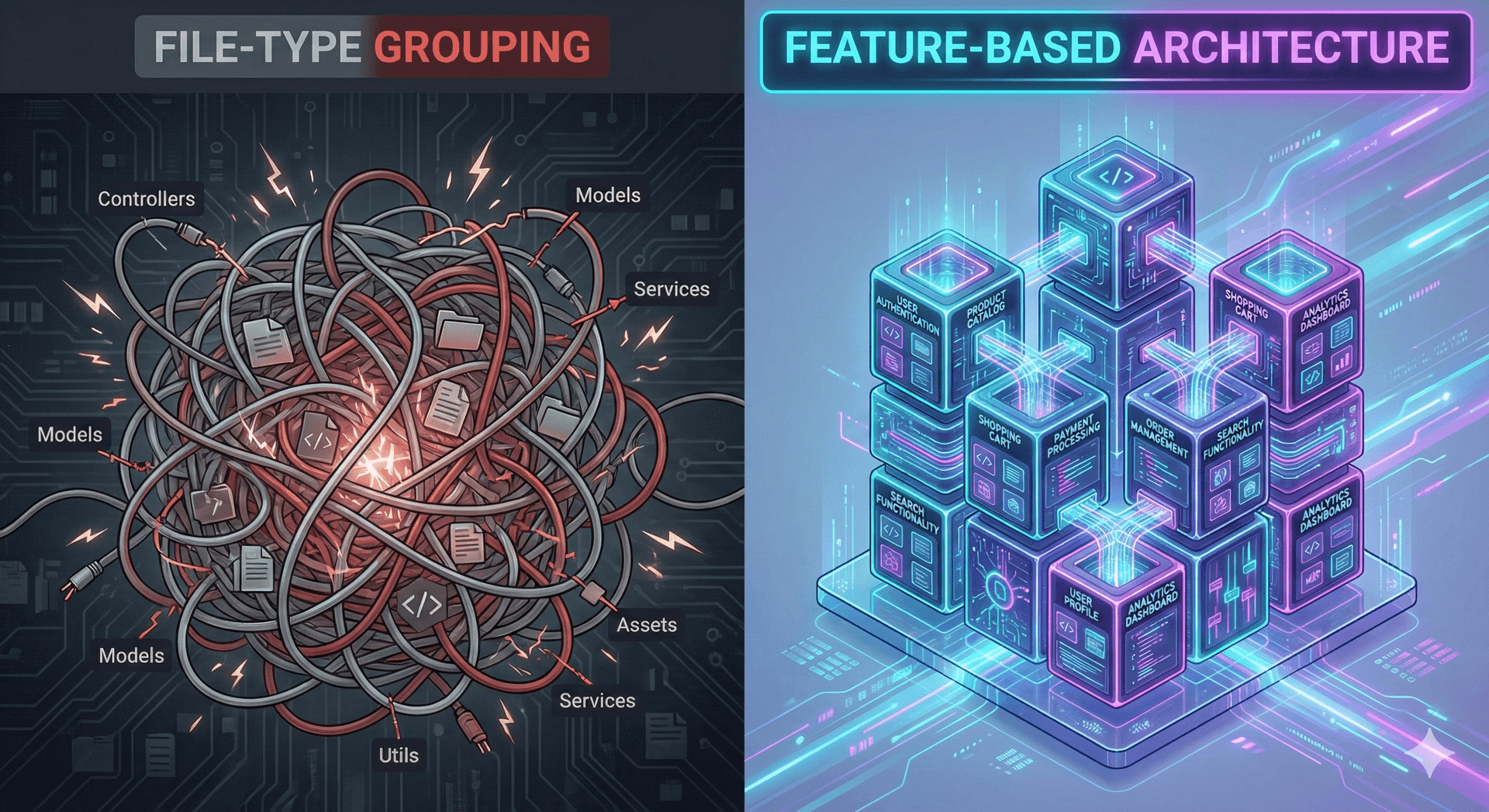
In my 12+ years of software engineering, I've seen projects start as clean, manageable repositories and slowly devolve into "spaghetti code" as deadlines pressure us to ship faster. I've witnessed this at massive scale—working on high-traffic portals for global gaming platforms—and in fast-paced B2B fintech environments.
The common denominator in successful, long-lived projects isn't just the tech stack (though TypeScript and Next.js are my go-to tools); it's the discipline of organization.
I previously wrote about choosing between the App Router and Pages Router, recommending the App Router for complex applications. Today, I want to go one step further: How do you actually organize those files so your team doesn't hate you six months from now?
The Philosophy: Feature-Based Architecture
The default Next.js tutorial suggests a structure grouped by "technical role": components/, hooks/, utils/. This works fine for a blog or a portfolio. But when you are building a complex financial dashboard or a multi-tenant platform, this approach fractures your domain logic. You end up jumping between five different folders just to edit one "Edit User" modal.
For scalable applications, I advocate for a Feature-Based Architecture.
We group files by business domain, not by file type. If I delete the features/invoices folder, I should confidently know that I have removed everything related to invoices, without leaving orphaned hooks or util functions cluttering the codebase.
The Folder Structure
Here is the high-level structure I use for new production-grade projects:
src/
├── app/                  # App Router: Thin layer, strictly for routing
│   ├── (public)/         # Route groups for layout separation
│   ├── (dashboard)/
│   ├── layout.tsx
│   └── page.tsx
├── components/           # Shared UI Library (The "Design System")
│   ├── button/
│   ├── modal/
│   └── typography/
├── features/             # The core business logic
│   ├── auth/
│   ├── settings/
│   └── financial-risk/   # Example domain from my recent work
├── lib/                  # Third-party library configurations
│   ├── axios.ts
│   ├── query-client.ts
│   └── utils.ts
└── types/                # Global types (keep this minimal)
1. Keep app/ Thin
The app directory should only be responsible for routing and layouts. I treat page.tsx files as entry points that simply fetch data and render a feature component.
❌ Don't do this (in app/dashboard/page.tsx):
// ❌ Too much logic in the route handler
export default function DashboardPage() {
  const [data, setData] = useState(null);
  // ... 50 lines of useEffect and transformation logic
  return <div>{/* ... complex JSX ... */}</div>;
}
✅ Do this instead:
// ✅ distinct entry point
import { DashboardOverview } from '@/features/dashboard/components/dashboard-overview';

export default function DashboardPage() {
  return <DashboardOverview />;
}
2. The features/ Directory
This is where 90% of your development happens. Each feature folder should look like a mini-application.
src/features/financial-risk/
├── components/           # Components specific ONLY to this feature
│   ├── risk-chart.tsx
│   └── risk-table.tsx
├── hooks/                # Hooks used ONLY in this feature
│   ├── use-risk-calculations.ts
├── api/                  # Data fetching logic for this domain
│   ├── get-risk-data.ts
└── types/                # Domain-specific types
    └── index.ts
3. The components/ Directory (Shared UI)
This is your internal "Design System." Throughout my career, including leading teams for large enterprise clients, building a robust design system was critical for consistency.
These components should be "dumb"—they shouldn't know about your business logic or API calls. They take props and emit events.
Code Example: A Scalable Feature Implementation
Let's look at a concrete example using TypeScript and TanStack Query (which I heavily rely on for server state).
Imagine a feature for displaying a list of financial transactions.
src/features/transactions/api/get-transactions.ts
import { axios } from '@/lib/axios'; // Centralized axios instance
import { Transaction } from '../types';

export const getTransactions = async (): Promise<Transaction[]> => {
  const response = await axios.get('/transactions');
  return response.data;
};
src/features/transactions/components/transaction-list.tsx
'use client';

import { useQuery } from '@tanstack/react-query';
import { getTransactions } from '../api/get-transactions';
import { TransactionItem } from './transaction-item'; // Co-located sub-component
import { Spinner } from '@/components/ui/spinner'; // Shared design system component

export const TransactionList = () => {
  const { data, isLoading, isError } = useQuery({
    queryKey: ['transactions'],
    queryFn: getTransactions,
  });

  if (isLoading) return <Spinner />;
  if (isError) return <div>Failed to load transactions</div>;

  return (
    <ul className="space-y-4">
      {data?.map((transaction) => (
        <TransactionItem key={transaction.id} transaction={transaction} />
      ))}
    </ul>
  );
};
State Management: The "Server State" Shift
One of the biggest mistakes I see in modern React apps is the overuse of global client state (Redux, Zustand, Context) for data that actually belongs to the server.
If the data comes from an API, it is Server State. Use TanStack Query (React Query) to handle caching, deduping, and revalidation.
My Decision Rule for State:
- Is it from the DB? → Use TanStack Query.
- Is it URL-driven (filters, pagination)? → Use URL Search Params (Next.js
useSearchParams). - Is it UI-only (is modal open)? → Use local
useState. - Is it complex global UI (theme, sidebar collapsed)? → Only then use Context or Zustand.
When to Abstract? (The Rule of Two)
A common pitfall is "premature abstraction"—creating a shared component for something that is only used once.
I follow a simple heuristic: The Rule of Two.

Don't move a component to src/components/ (shared) until it is used in at least TWO different features.
Until then, keep it inside src/features/my-feature/components/. Duplicate code is better than the wrong abstraction. It's easier to merge two similar components later than to dismantle one giant "God Component" that tries to do everything for everyone.
Summary
Scaling Next.js is less about knowing every configuration option and more about strict boundaries.
- App Router for routing, not logic.
- Features folder for domain ownership.
- TanStack Query for server state.
- Shared Components for your design system.
This structure has served me well from agile startups to massive enterprise banking environments. It keeps the codebase discoverable and, most importantly, allows your team to move fast without breaking things.